Choosing a Photo Library for Your Family
16 October 2026
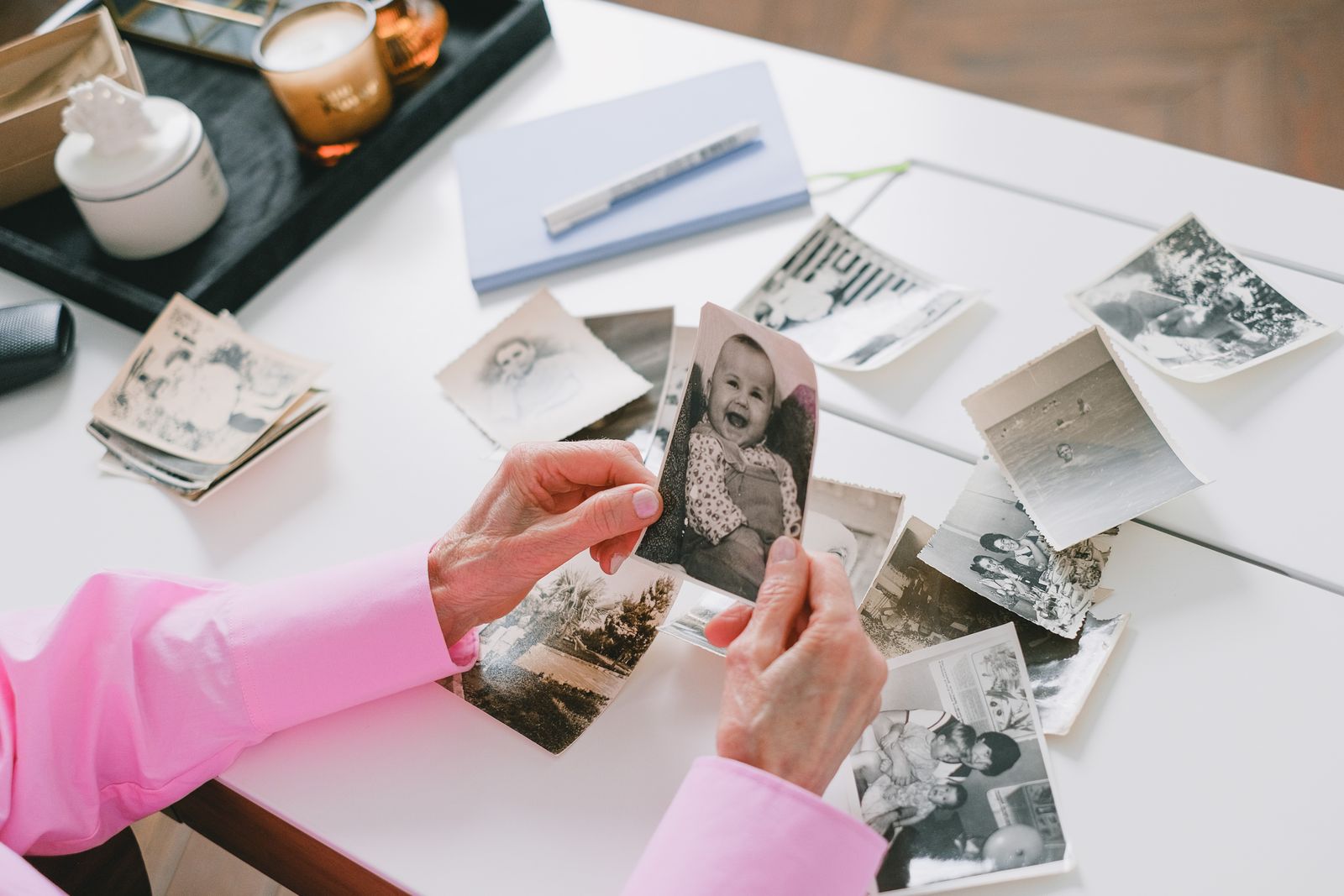
A photo library is the place your photographs live once they leave the camera: somewhere they are stored safely, organised so you can find them, and shared with the people who should see them. For most families today that means one of four things: the library built into your phone, desktop photo software, general cloud storage, or a private family archive. Each solves a different problem, and the right choice depends on whether you mainly want convenience, control, or a home for your family's pictures that will still make sense in thirty years.
This guide walks through the options, what to look for, and the questions worth asking before you trust any service with a lifetime of photographs.
What people mean by a photo library
The phrase covers a lot of ground, so it helps to be clear about which kind you need.
- Your own photo library: the collection of pictures you have taken, and the app or service that holds them.
- A family photo library: photographs that belong to a whole family, often spread across several phones, old hard drives, shoeboxes of prints and a parent's laptop.
- A stock photo library: a commercial collection of images you can licence for websites and publications. That is a different thing altogether, and not what this guide covers.
Most people searching for a photo library want the first or the second: somewhere better for the pictures they already have.
The four main kinds of photo library
1. The library on your phone
Apple Photos and Google Photos are where most pictures end up by default. They are convenient: photos back up automatically, they sync across your devices, and both group pictures by date, place and, if you allow it, by the faces they recognise.
They work well for one person's everyday photos. They work less well as a family's shared record. Each person's library is tied to their own account, shared albums are an add-on rather than the centre of the design, and the people in your photographs are usually identified by face recognition run on your images.
2. Desktop photo software
Programs such as Adobe Lightroom Classic and the free, open-source digiKam keep a catalogue of photos stored on your own computer or drives. They are strong on organising, editing and metadata, and your files stay where you put them.
The trade-off is that you are responsible for everything: backups, storage, and keeping the software and its catalogue running for years. Sharing with relatives who are not technical is also harder.
3. General cloud storage
Services like Google Drive, Dropbox and OneDrive store any kind of file, photographs included. They are dependable places to keep copies, and folders are easy to share.
But they are file stores, not photo libraries. There is little sense of who is in a picture, what occasion it came from, or the story behind it, so a large collection quickly becomes thousands of files named IMG_4821.
4. A private family archive
A private family archive is built for a different job: keeping a family's photographs, videos and memories together in one place, organised around the people and occasions that matter, and shared only with family.
To Keep Safe is this kind of library. Each family has its own private archive at its own web address. Pictures are gathered into collections around occasions such as weddings, christenings, birthdays, anniversaries and gatherings, and you name who is in each photo yourself, so every person has a page showing every picture of them. You can also add a family tree, leave a written or spoken memory under any photo, and even give the family pets their own pages.
What to look for in a photo library
Whichever kind you choose, these are the questions that matter most over the long run.
Who can see your photographs?
Check whether your library is private by default, who can be invited, and how easily access can be taken away again. For a family archive, sharing should be by invitation, not by a link that can be forwarded anywhere.
To Keep Safe has no public sign-up page: a stranger who finds your archive's address sees a sign-in screen and nothing else. Keepers add family members by their Google address, and sign-in happens through Google, so To Keep Safe never sees or holds a password. Guests at an event get a link that opens one event only, expires on a date you choose, and can be closed at any time.
What happens to your photos behind the scenes?
Many free and low-cost services analyse your pictures: recognising faces, reading what is in them, or using them to improve their products. Read the privacy policy and look for clear answers on advertising, data sharing, face recognition and AI training.
To Keep Safe's answers are short: no advertising, no selling or sharing of data, no face recognition and no biometric data, and no AI trained on your photographs, recordings or words. The security page sets out how archives are kept separate from one another, inside the database itself.
Where are the files stored, and are they backed up?
Know which country your photographs are stored in and under which law, and whether the service keeps its own backups. To Keep Safe stores archives in Ireland, under UK and EU data-protection law, and backs every archive up daily.
Can you get everything out again?
This is the question people forget to ask. A good photo library lets you download every original file, in ordinary formats, whenever you like. If a service only lets you export compressed copies, or makes leaving difficult, your photographs are less yours than they look.
To Keep Safe exports every original file in ordinary formats as a single download, with a list of who's who.
What happens if you stop paying, or run out of space?
Some services delete files or lock you out when a subscription lapses. Look for a clear promise. With To Keep Safe, an unpaid archive becomes read-only rather than being deleted, and when an archive is full, uploads simply pause; nothing is deleted.
Is it easy for the whole family to use?
A family library only works if the less technical members can join in. Look for something that works in a web browser without an app to install. At an occasion run on To Keep Safe, guests scan a table card and take or add photos straight from their phone, with no app and no account, and uploads keep retrying quietly if the signal is poor.
How to bring a scattered family collection together
Most families' photographs are spread across phones, laptops, old drives and boxes of prints. A practical way to gather them:
- Start with one occasion. A wedding, a milestone birthday or a family reunion gives you a clear first collection, and guests can add their own photos on the day.
- Collect the digital photos you already have. Ask relatives for their best pictures of shared events, and add them to the matching collection.
- Scan the prints. Old photographs fade, and the people who can name everyone in them will not always be here to ask. Our guide to keeping photos for the long term explains why it is worth doing sooner rather than later.
- Name who is in each picture. It takes a moment per photo and is what turns a pile of images into a record your grandchildren can understand.
- Add the stories. A sentence or a short recording under a photograph says what no caption can.
Which photo library is right for you?
- For your own everyday snaps, the library built into your phone is hard to beat for convenience.
- For editing and serious organising of your own work, desktop software gives you the most control.
- For extra copies of everything, general cloud storage is a sensible backup.
- For your family's photographs, shared privately and kept for the long term, a private family archive is designed for exactly that.
Many families use more than one: a phone library for daily pictures, and a family archive for the photographs and memories they want to keep together and pass on.
In short
A photo library should keep your pictures safe, make them easy to find and share with the right people, and let you take everything with you whenever you choose. If what you are really looking for is a private home for your family's photographs, videos and voices, organised around the people and occasions that matter, To Keep Safe opens by invitation, and you can join the waiting list on its home page. You can read about how occasions work and how archives are kept safe before you decide.